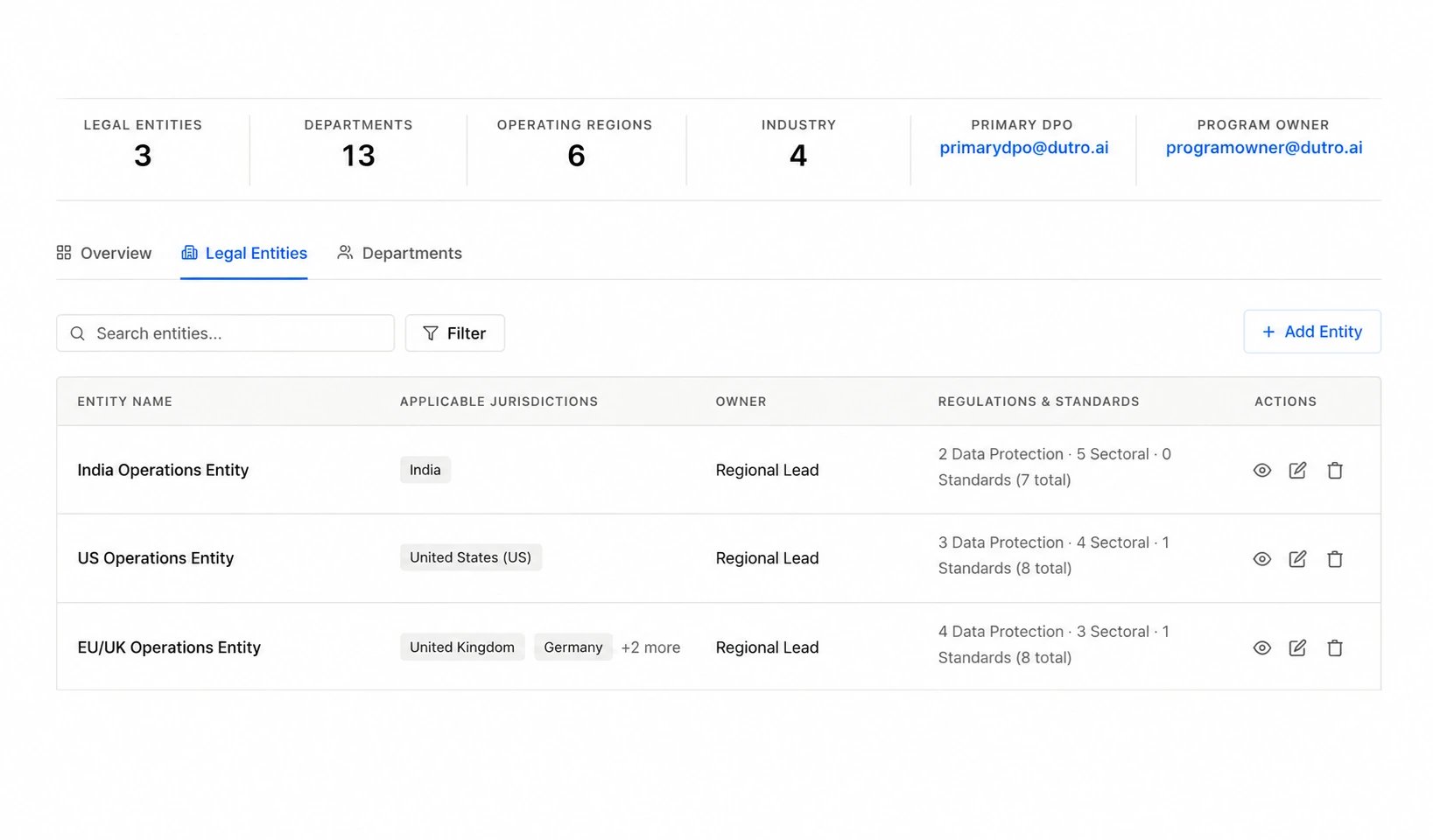
Click the Legal Entities tab in the secondary navigation bar to view all registered statutory subsidiaries.
Legal Entities table

Legal Entities table with search, jurisdiction filter, and action icons

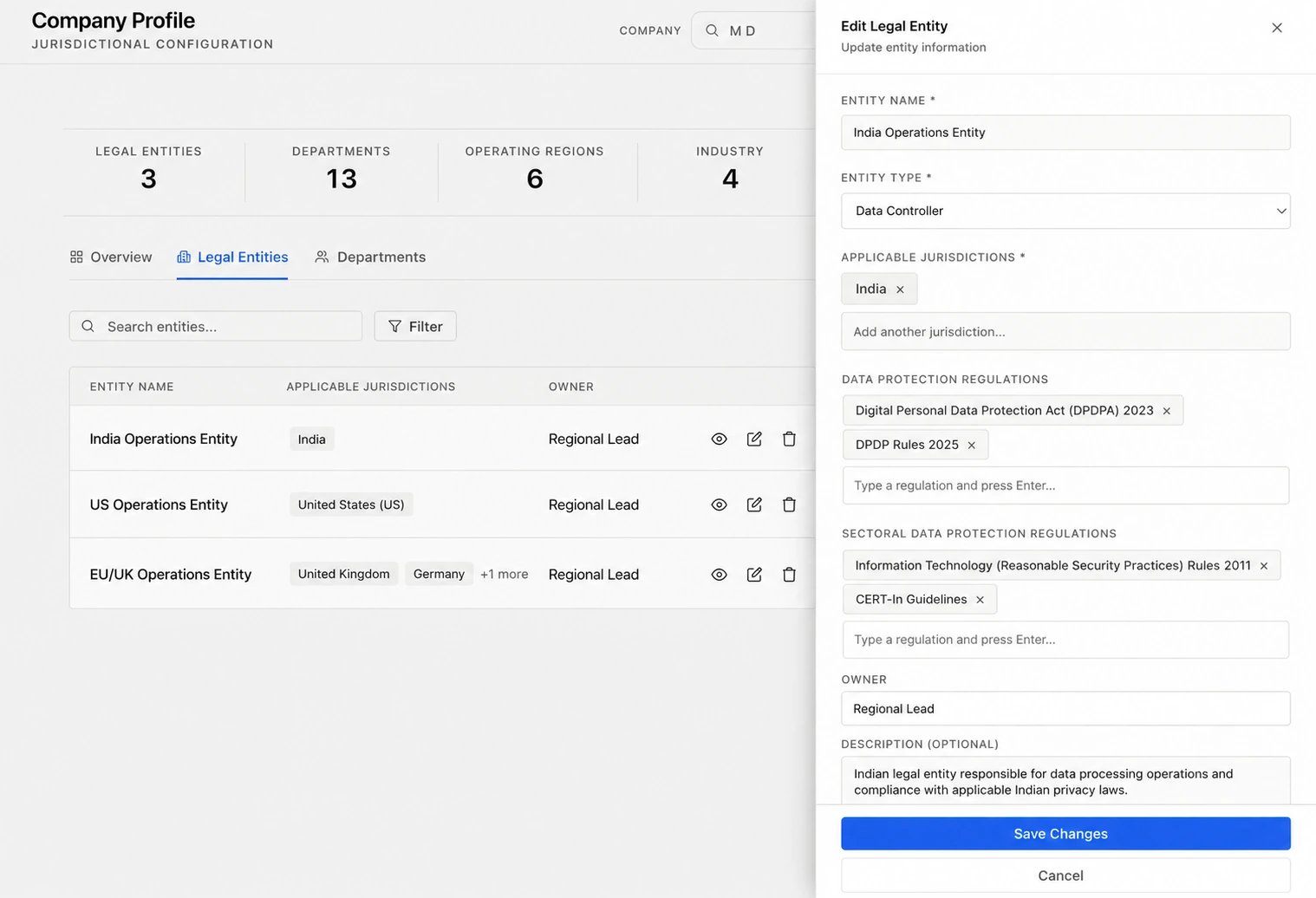
The table displays Entity Name, Jurisdiction, DPO Assigned, Departments Count, and Actions. Use the search field to find entities by name, and click the Jurisdiction filter dropdown to filter subsidiaries by country. To register a new subsidiary, click the Add Entity button. In the slide-out drawer, specify:
  • Entity Name
  • Jurisdiction
  • Registered Address
  • Parent Entity (to establish corporate hierarchy)
  • Primary DPO
  • Industry sector
Then click Save Entity.
Add Legal Entity slide-out drawer

Add Legal Entity drawer

To inspect an entity’s complete read-only records, click the View icon (eye icon). To edit existing records, click Edit this entity in the drawer, or click the Edit icon (pencil icon) in the table.
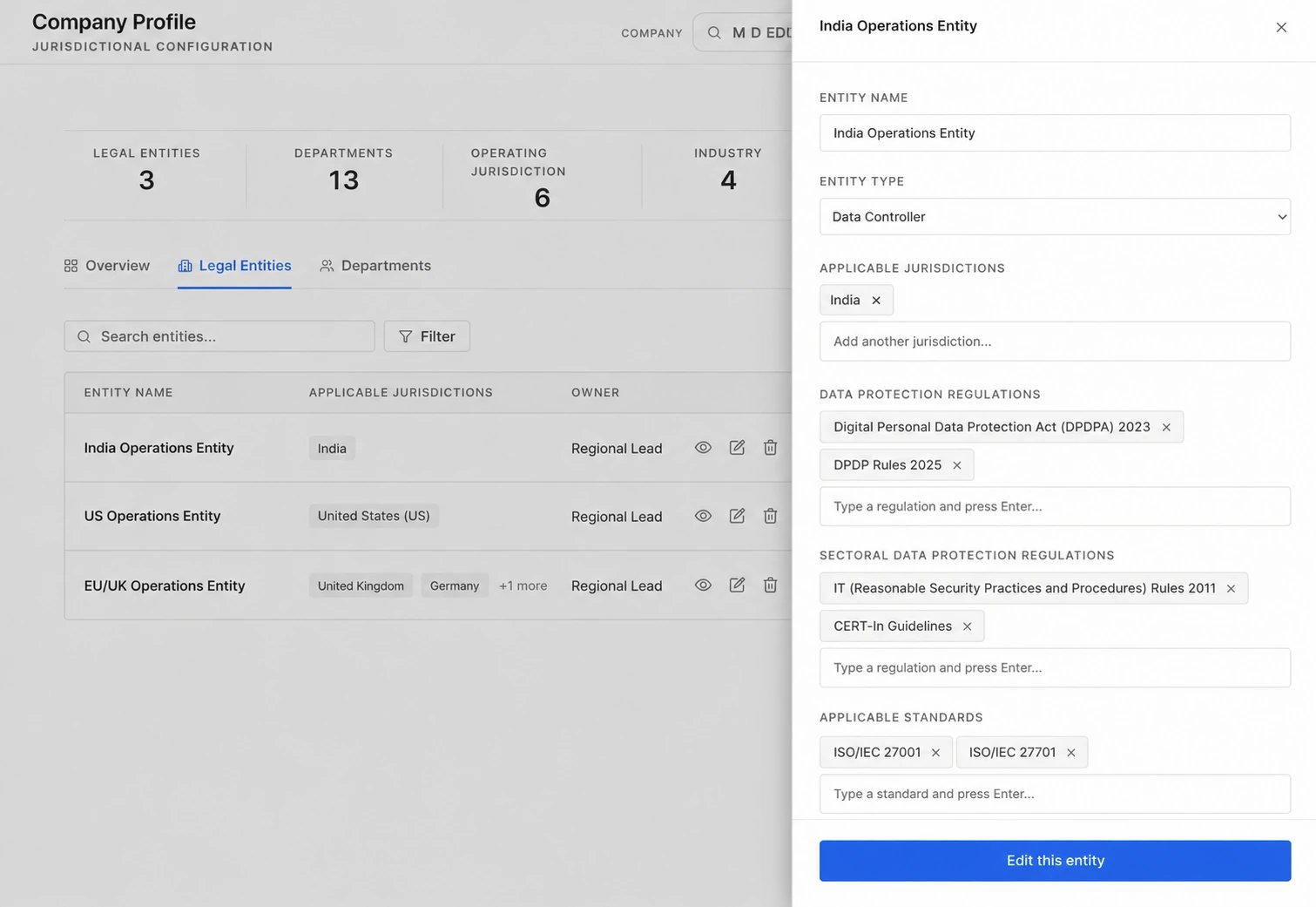
Read-only legal entity drawer

Legal entity view drawer with the Edit this entity button

To delete an entity, click the Delete icon (trash can icon) in its table row. A confirmation modal will appear.
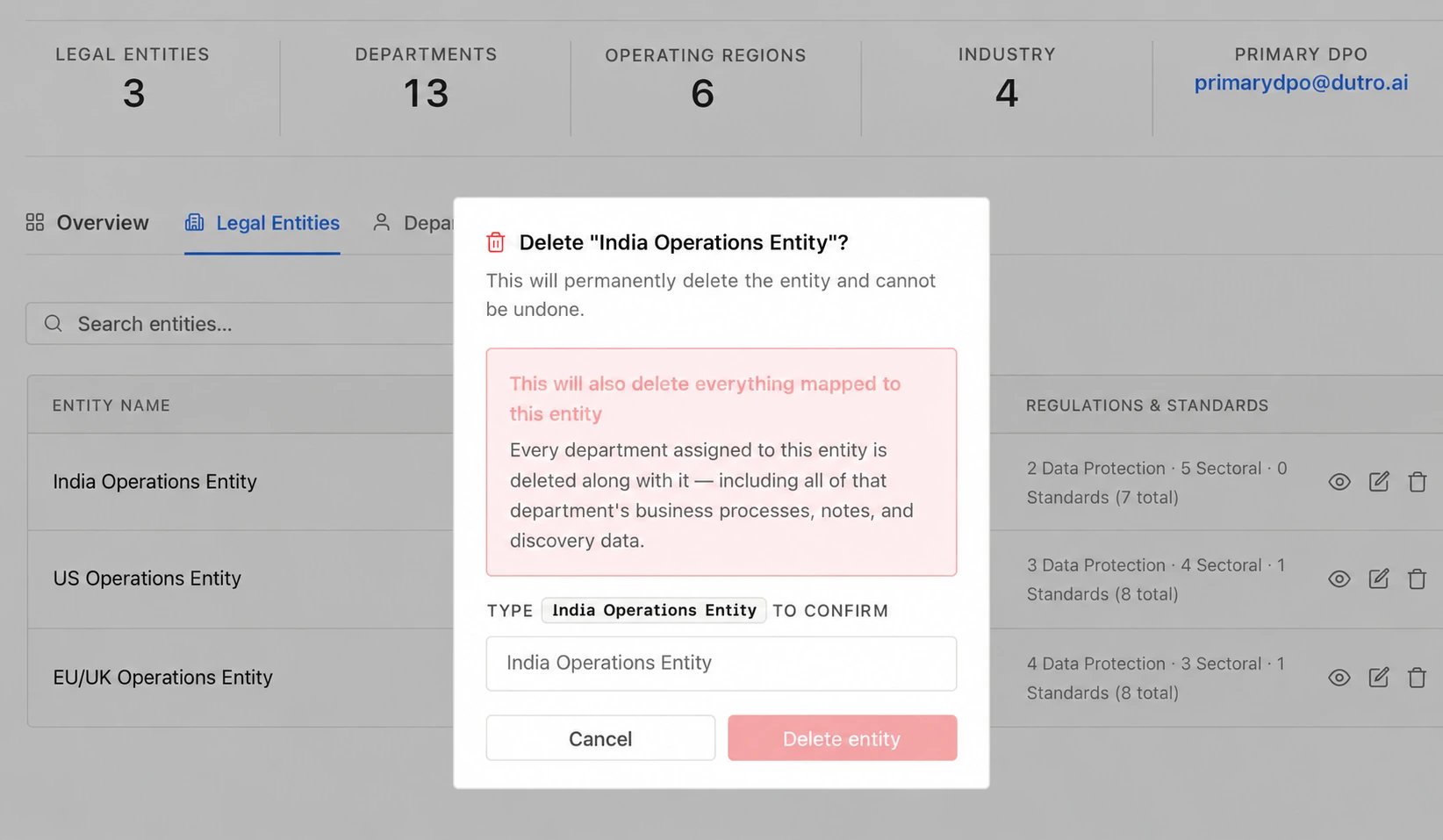
Delete entity confirmation warning

Delete entity confirmation

Permanent deletion of operational data. Deleting a legal entity triggers a permanent system-wide cascade: every operational department mapped to that entity, along with its associated business processes, questionnaire assessments, evidence attachments, and data lineage nodes, is permanently erased. This action cannot be reversed. Verify that all active business processes have been remapped before confirming deletion.