

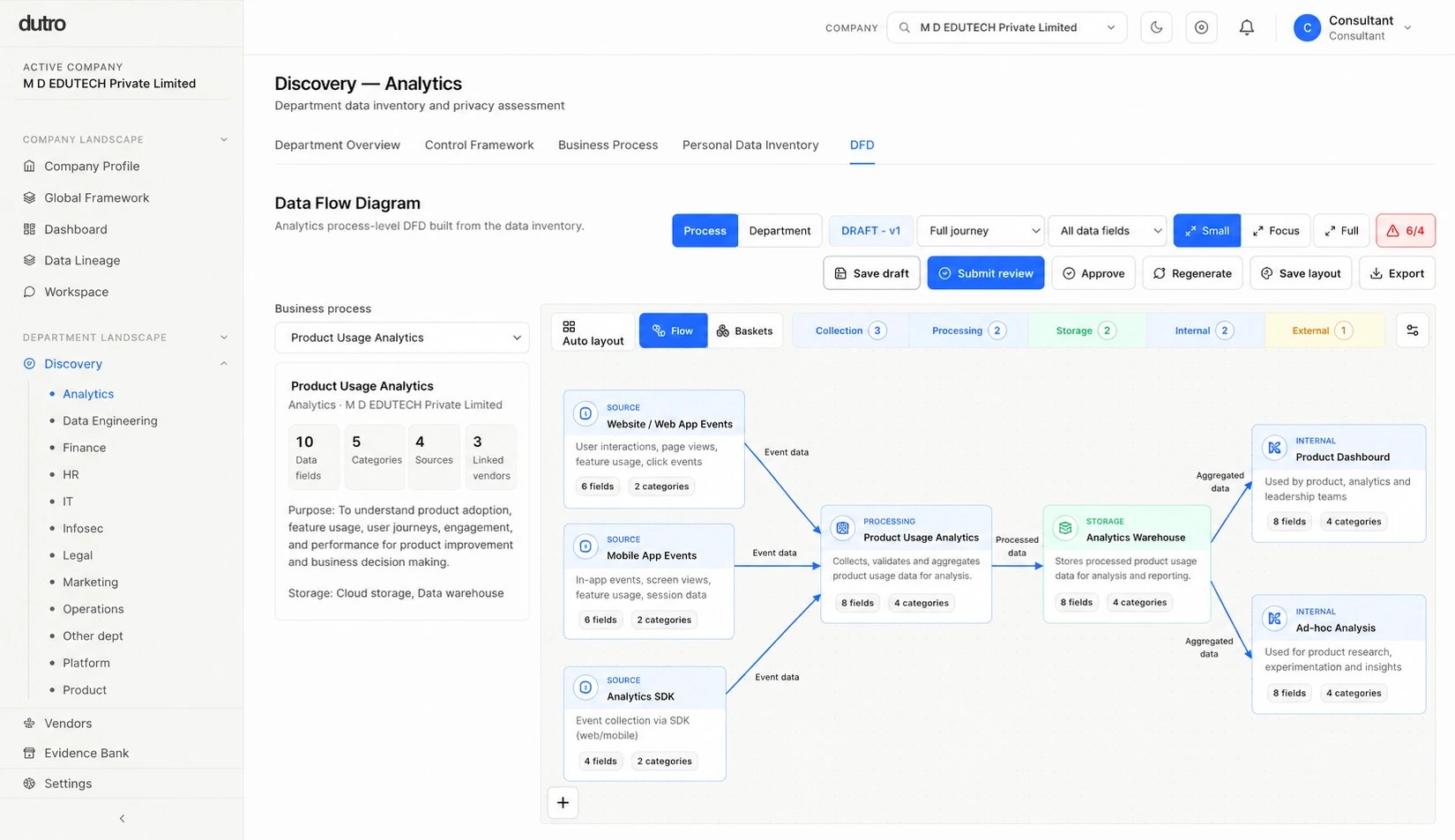
Department data flow diagram with data paths and node details
- Use the view toggle to switch between Process View (focusing on a single processing activity) and Department View (showing macro cross-process interactions).
- Use the zoom presets (Small, Focus, Full) to navigate the diagram.